A free wallet client on the Tezos network allows you to send NFTs to emails or even social media accounts – making it possible to gift NFTs to people who have never set up a crypto wallet.
Last year, I decided I wanted gift my friends NFTs for the holidays. Almost none of my friends are into NFTs, and I thought this would be a fun way to get them curious about the technology. So I asked on Instagram for people to just say the word, and I’d send them an NFT.
But I faced a delivery problem: Since my friends weren’t already into NFTs, they didn’t have wallets. How could I gift them NFTs, if I couldn’t actually send them through the blockchain? So I wondered: Was it possible to buy an NFT for a friend, and then email it to them?
After much searching, it turned out the answer was yes. I found that the Kukai wallet, which I was already using, had added support for an amazing feature (called DirectAuth) that lets users associate their wallets with social media accounts – meaning you could send NFTs to Google, Twitter, or Reddit accounts, or email addresses, and have the user retrieve them using the free Kukai wallet app!
Kukai is a wallet client for the Tezos network. Tezos is an energy-friendly blockchain with a robust NFT market. I had already done plenty of NFT collecting on Tezos, so I was excited to find this solution on a network I was already familiar with.
Now, I should say that Tezos is not as well-known as other blockchain networks, and is not the first blockchain that comes to mind for people who trade NFTs. (That distinction would probably go to Ethereum or Polygon.) But since my friends who would be receiving the NFTs also had no prior knowledge of the NFT space, they weren’t going to care what network their digital collectibles were minted on. So for me, again, this was a great solution.
(And I’ll say at the top – this is not an ad for Kukai. It’s simply the only wallet I have been able to find – after searching many times – that easily supports this feature. And at the moment, I am not aware of any wallet clients on the more popular Ethereum and Polygon chains that support a similar mechanism – although I would love to find any such services and give them a spin.)
Once I found this feature, I was able to send my friends NFTs for Christmas with no trouble at all. And I actually found it a really fun and gratifying experience to send indie artwork to friends that would care about it. So, I’ve written up this guide to help anyone else in a similar situation be able to send NFTs to their own friends!
Step 1: Create your wallet
First, you’ll need to sign up for a Kukai wallet. Now, you have two choices for how do to this.
Option A: traditional wallet setup (Best for security and the crypto-fluent)
Instructions for this method can be found here. This method is the traditional way to set up a new wallet in crypto-land, and is the recommended method for best security and independence from web 2 platforms (i.e. decentralization).
If you’ve never created a crypto wallet before, it’s a bit more involved than creating an account on a typical website. It should take 5-10 minutes, and you will be given a phrase that you need to write down and keep, in addition to setting a password. Make sure you save and retain this phrase in a safe place, or you will lose access to your wallet forever, and no one can help you. (That’s crypto, baby.) Got that?
Option B: Social sign-in (Best for speed and simplicity)
As you’ll see below, one of the killer features of Kukai is its support for signing in through social media accounts. This is the simpler setup and best for novice users. Coincidentally, it’s how your recipients will be signing up for Kukai.
To set up your wallet this way, go to the Kukai website and look for “Sign in with social”. Then select the account of choice that you want to use to access your wallet (Google, Twitter, Reddit, or Email), and proceed through the prompts until your wallet is set up.
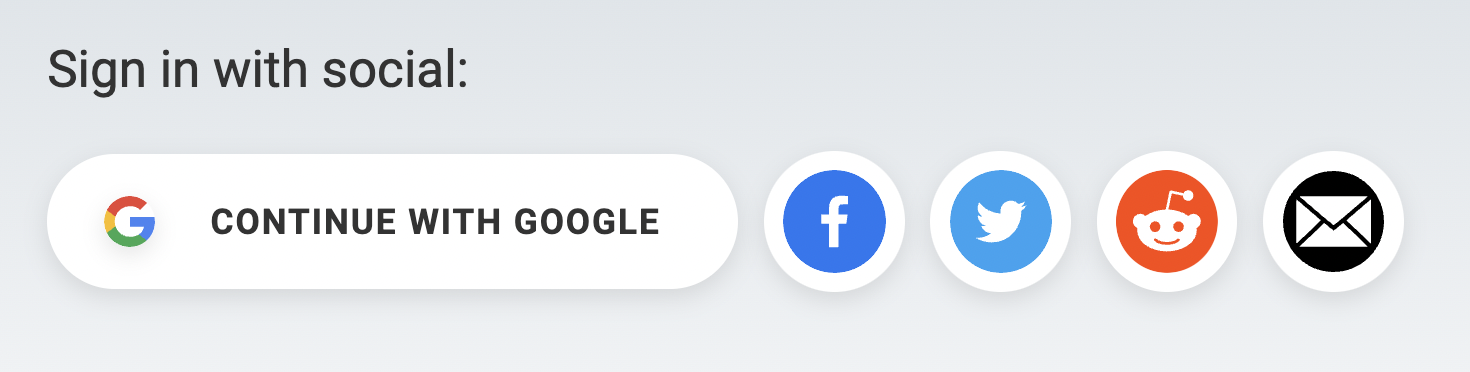
I should say, I have not tested this method myself, but it should work similarly to Option A, without the extra step of you having to make a permanent copy of your seed phrase to retain access to your account.
Step 2: Buy some crypto
In order to interact with a blockchain network, you need some of its native currency to pay the network fees each time you transact. So you’re going to need enough crypto to cover the cost of the NFTs you purchase, plus a little extra to cover network fees (aka “gas“).
In our case, we’re using the Tezos network, so you will need to have some of the native currency Tez (ticker: $XTZ) on hand to fund the transaction. $1 worth of Tez should be more than enough to cover your gas on Tezos for awhile.
You can purchase many cryptocurrencies, including Tez, at exchanges such as Coinbase or Gemini. (If you’ve never signed up for an exchange before, it can take at least one business day to get through their KYC processes, so make sure you plan for that delay.)
Step 3: Fund your wallet
Once you’ve purchased your crypto on an exchange, you need to move it from the exchange’s custody into your own wallet. Think of it as withdrawing your cash from the bank.
In your crypto exchange, find the way to withdraw your funds. Here you will have to put in your wallet’s unique address to receive the funds. Use this “Copy Address” button in the top right corner of your Kukai wallet to get your address. (My Tezos address is niftyist.tez because I purchased that address through Tezos Domains. Your Tezos address should look something like “tz1XRnq…”. )

Next, paste that wallet address into the withdrawal form in your exchange. Finally, input the amount of Tez you want to transfer to your wallet, and transfer the crypto to your wallet.
(Tip: It’s always good to do a test transaction with a small value the first time you try to transfer to your wallet, just to make sure it works. Once you’ve successfully received the funds in your Kukai wallet, you can do a second transfer with the remaining balance.)
Step 4: Find the NFTs you want (the fun part!)
Now that you’ve funded your Kukai wallet with Tez, you will be able to make some outbound transactions from it. That means you’re ready to go shopping! 🤑
There are several marketplaces on the Tezos network where you can peruse and purchase NFTs. My personal favorite is objkt.com. Other options include Rarible, Kalamint, and the very quirky Teia, a successor to the beloved underground marketplace Hic et Nunc.
This is the fun bit! Go out and find the NFT that you think best speaks to your recipient.
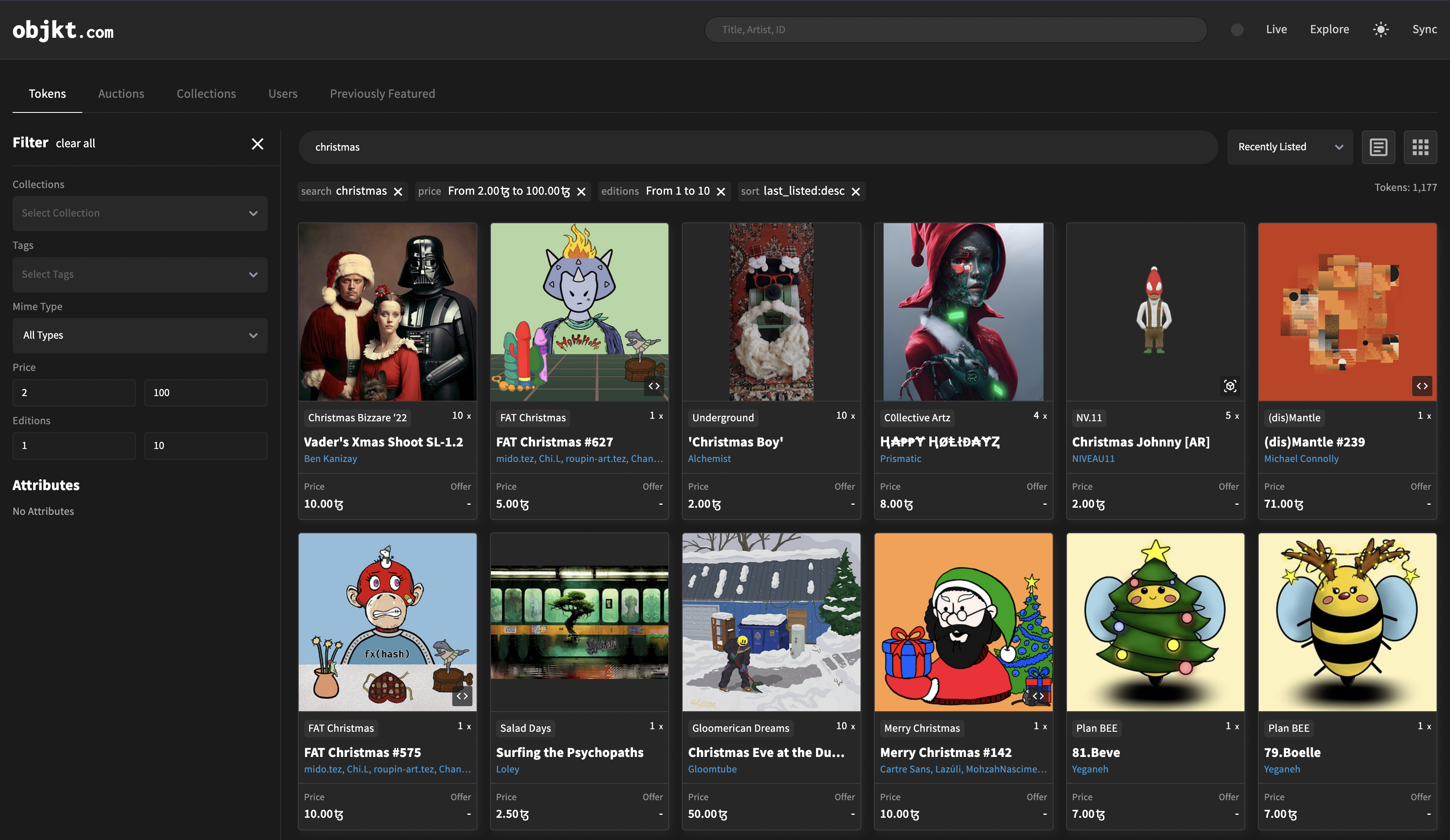
Make sure to use any filters available on the website you use to narrow down your options. There’s a lot of junk out there, but many, many gems to be found. When you find an NFT that seems interesting, go check out that creator’s profile. You’ll want to support creators who show consistent, quality work. Try to avoid NFTs from creators whose profiles are underdeveloped or whose work is inconsistent. These could be signs that the person is a copyminter (a fraud).
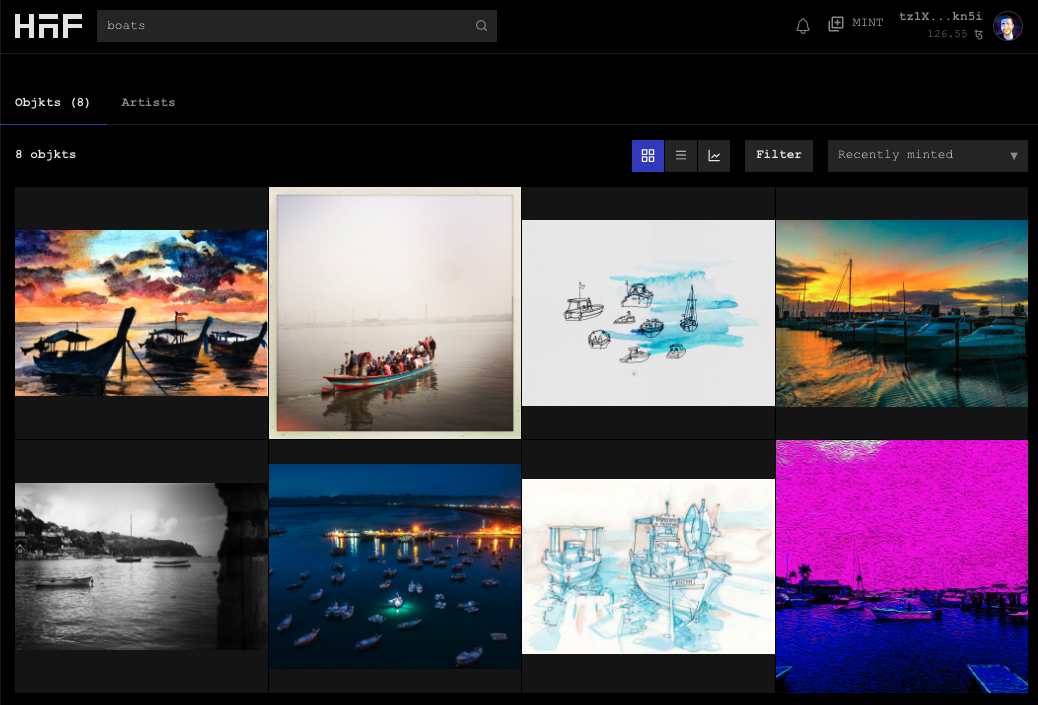
My process to find NFT gifts on objkt.com goes like this:
Search for a term in the search bar at the top of the page
Here are some example filters I would use on Objkt.com.
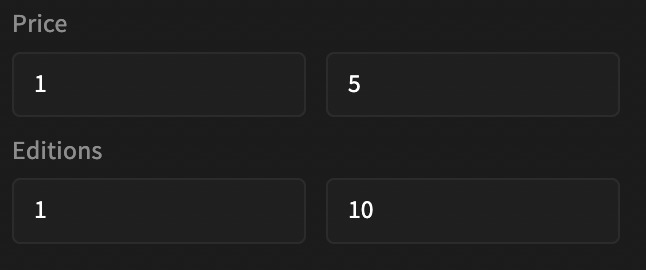
The price field is asking you for prices in tez, not in dollars. Now, at the moment I write this, 1 tez (remember: $XTZ on exchanges) is trading for $0.80, so it’s not a huge difference. But crypto prices gonna do what crypto prices do, and the price will be different for you. Last year the price of 1 tez was up to $4, and it could even go higher in the future, so just be aware of what you’re spending here.
The editions field allows you to narrow down what types of works you want to return. Single-edition pieces, also known as 1/1s, are thought to be the most valuable NFTs, because they can only ever be owned by a single person. Therefore, they will often be priced more highly than multi-edition NFTs. But because of their uniqueness, they can also make great gifts. (See the Nifty Dictionary entry on 1/1s for more about this type of NFT.)
Multi-edition NFTs are works for which more than 1 edition exists. For these NFTs, it means that there are multiple copies available that are functionally identical except for their token IDs. It’s just a different format that artists can use to sell their work. (For more on multi-edition NFTs, see the Nifty Dictionary entry about them.)
On the Tezos network, creators can typically mint up to 999 editions of a single NFT. On one marketplace, I even saw edition numbers of 1 million. Now, there’s nothing wrong with buying an NFT that has 998 (or 999,999) other editions, but having more editions available does cheapen the NFT’s value – both from a simple supply and demand standpoint (high supply means lower demand), and also a simple psychological perspective, which is what drives most of the value in NFT secondary markets.
So I find that, generally speaking, NFTs with just a few editions are a better buy than NFTs with dozens or hundreds of editions. If an NFT has so many editions available, it can be a signal that the artist is new or not savvy with NFT culture, and is simply looking to make any money they can. Whereas if an artist has only released a few editions of an NFT (say around 5), that can show that they have carefully considered the value of their work, and how many people they want to be able to collect that work.
It’s not a hard and fast rule, but Objkt doesn’t give you a lot of filters to work with, so I find that limiting edition sizes to 10 is a great way to eliminate a bunch of spam and low-value NFTs right off the bat.
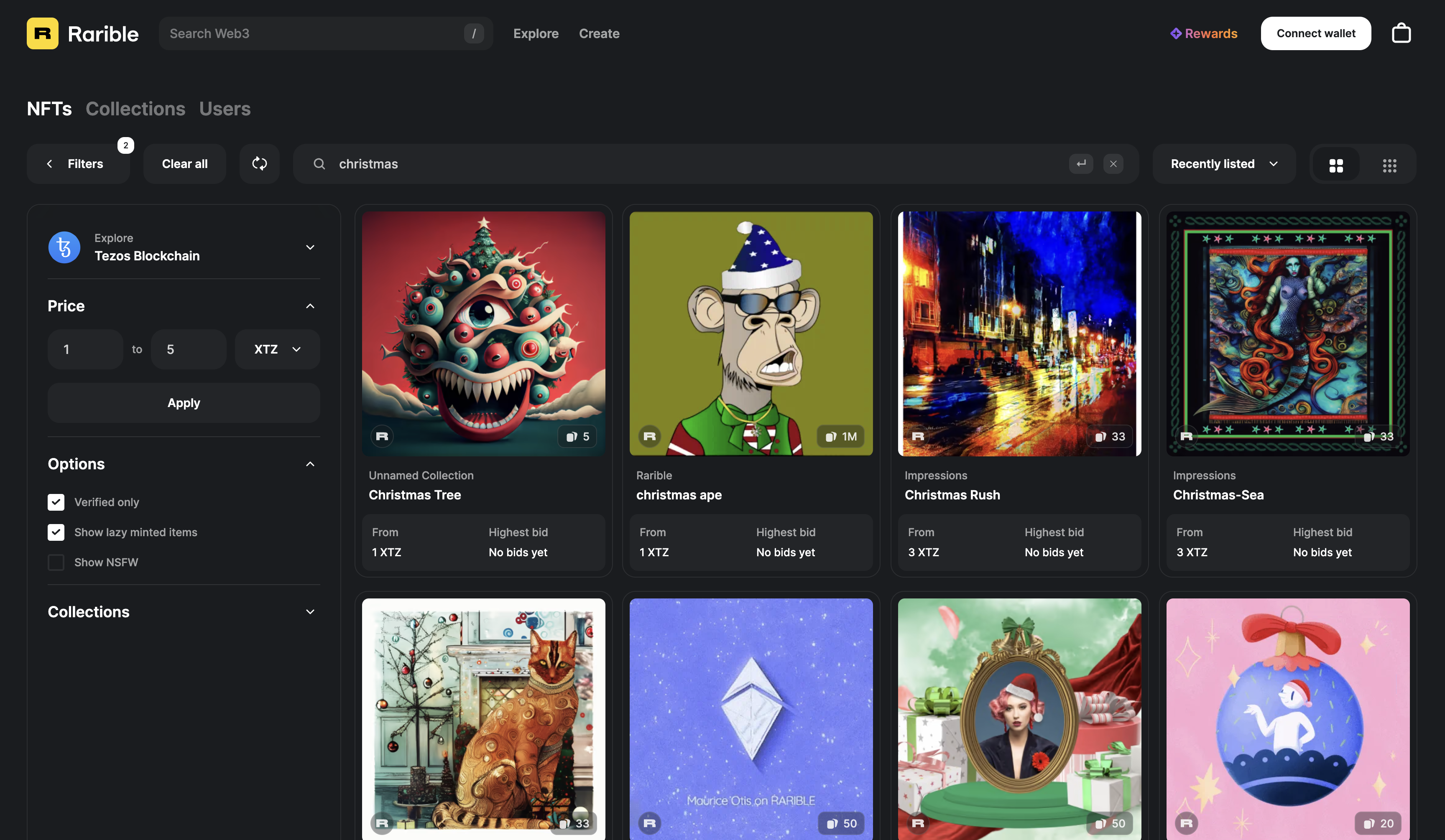
One final note here. Most of the marketplaces mentioned above (Objkt, Kalamint, Teia) are Tezos-only, which makes things a little more straightforward. If you’re using a website like Rarible that supports more than one blockchain, make sure to filter for the Tezos network while you’re searching for NFTs.

Rarible’s marketplace filters are similar to Objkt’s, but the site doesn’t let you control for edition size, as far as I can tell.
Step 5: Purchase the NFTs
To purchase, you will have to connect your wallet to the website. On Tezos (or at least on Objkt), this is called syncing. Sync your wallet to the website. (This is basically you logging in.) On other marketplaces like Rarible, the button might say “Connect wallet.”
This action will open Kukai in another tab. Give it permission to connect to the website. (If the connection between the website and Kukai isn’t working, try another browser. Firefox works great for me.)
Now, proceed to purchase the NFTs you want to buy. Clicking “Buy” on whichever website you found the NFT on should open up Kukai in a new tab again, or prompt you on the existing Kukai tab. Follow the prompts on Kukai to complete the transaction and “Broadcast” it to the network. You’ll see the pending transaction in Kukai. After about 30 seconds, you’ll see the transaction finalize.
Congratulations! You’ve just purchased the NFT.
Step 6: Send the NFTs to the recipient
Now’s the really exciting part: emailing the NFT to a friend!
In Kukai, click on a grouping in the NFT/Collectibles tab to show you the NFTs you own from that platform. In my case, the platform shows as Hic et Nunc (which means they were minted using the defunct HEN platform’s smart contracts). If you buy your NFTs from Objkt, it will probably show under this grouping too.
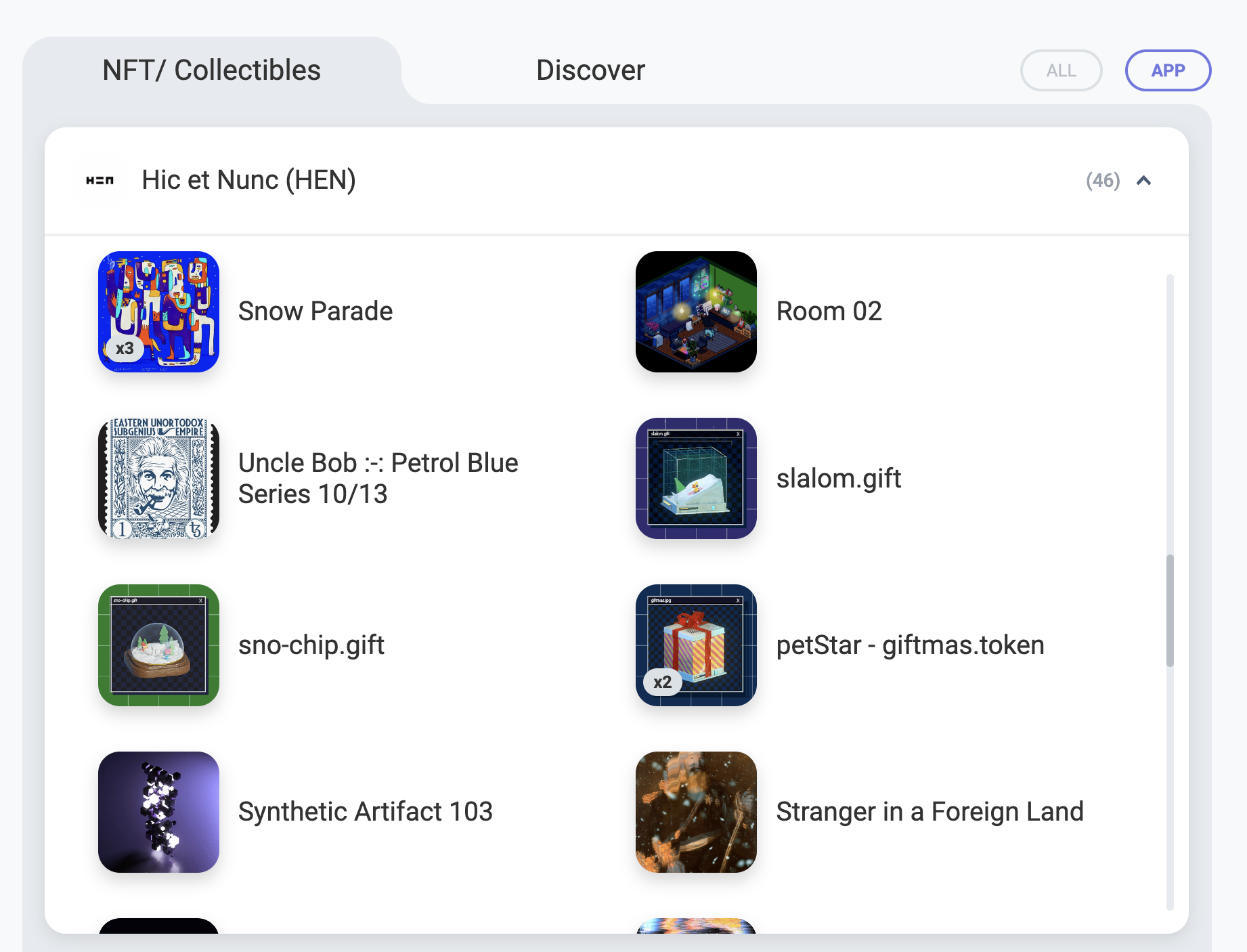
Now, click on the NFT you want to send. It’ll pop up with a detail view and a giant purple “SEND” button. That’s what you want!
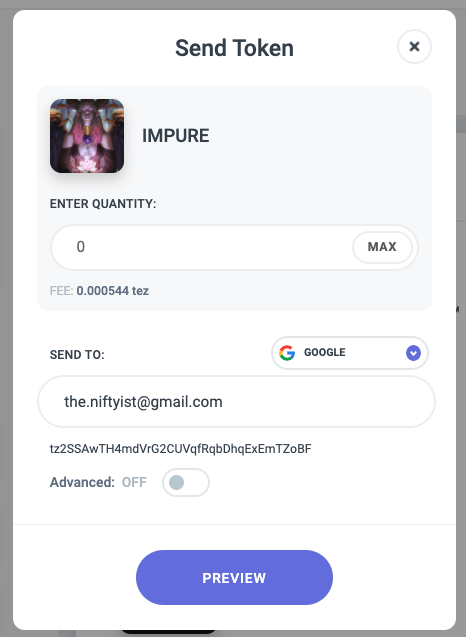
On the next screen, enter a quantity of 1, because you want to send 1 instance of the NFT. Now here’s the important bit: click the area that says “TEZOS ADDRESS” above the “RECIPIENT”. This will reveal other options you can use to transmit the NFT. You’ll see down at the very bottom of the list is our destination – email!
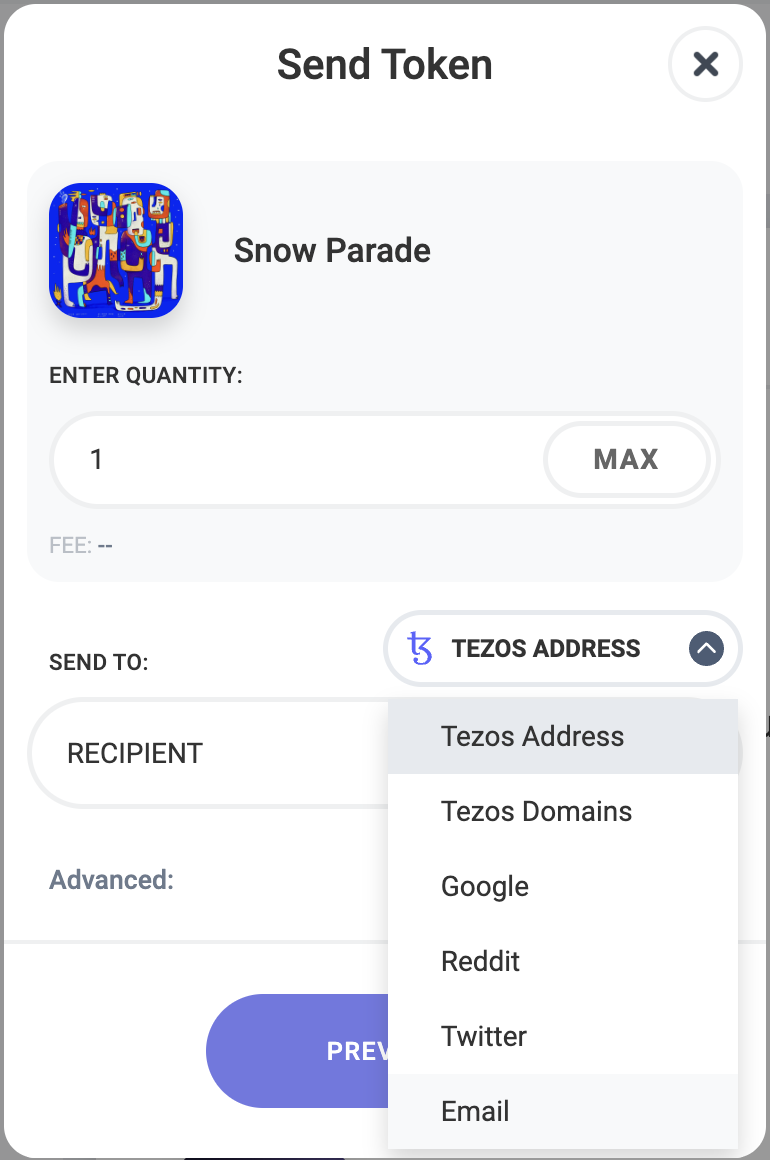
You’ll also notice that there are other social options here such as Google, Reddit, and Twitter. So, how does this sending-via-social-media thing actually work?
What Kukai is going to do is create a new wallet for that user. That wallet gets attached to the account you specify, such as an email address, or a Twitter account. The user will get notified on that platform that someone has sent them an NFT. Then, they will use that account to log in to Kukai and claim the wallet. At that point, they own the Kukai wallet and have ownership of the NFT! It’s a pretty neat process enabled by a solution called DirectAuth developed by a company called Torus. I’m frankly surprised not many other wallets seem to support this method yet, given it’s clear appeal.
To complete the transfer, enter the recipient’s email address, then click Preview. Continue with the prompts in Kukai to complete and broadcast the transaction. Again, you’ll see it confirm about 30 seconds after you send it.
Step 7: Help your friend receive the NFT
For each friend that I sent an NFT to, I sent them a little note explaining that they would need to log into Kukai.app using their email address to retrieve the NFT, and that this was totally free.
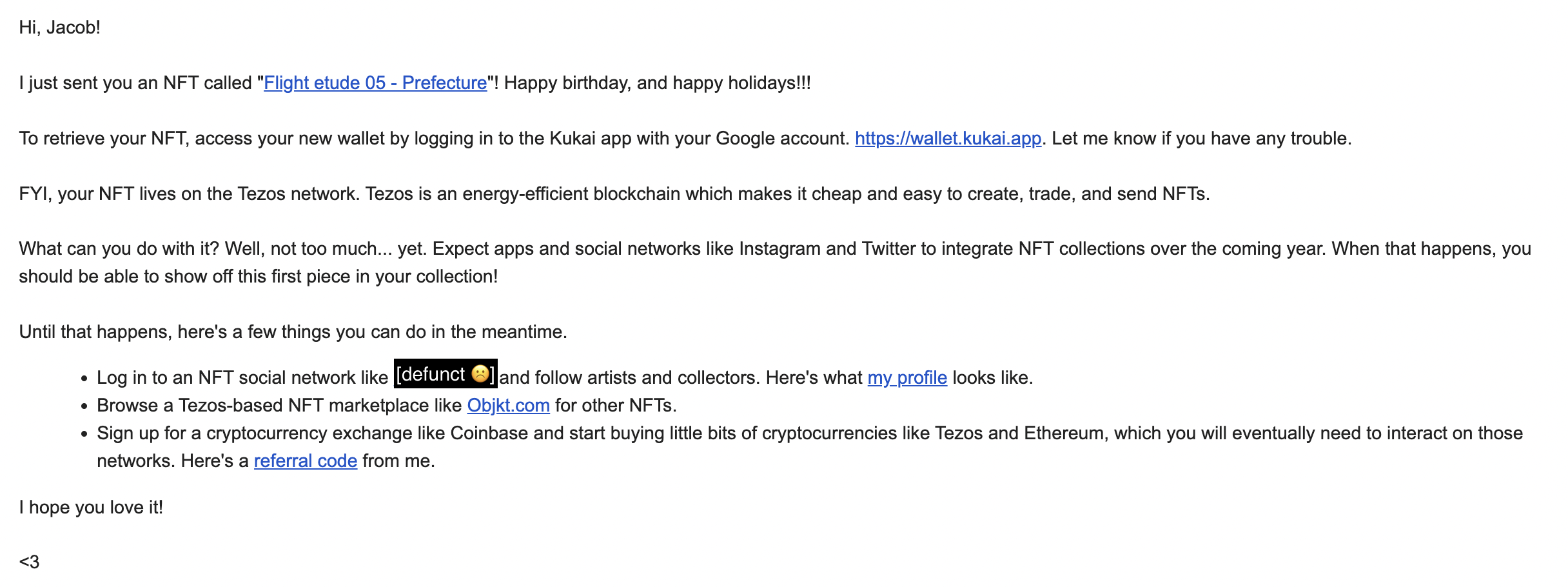
If you don’t communicate this to them, they will have know way of knowing they received the NFT, nor how to retrieve it!
Step 8: Help your friend share the NFT they received.
After I sent NFTs to friends last year, the one question I kept getting back was, “What do I do with it?” And to be honest, I didn’t have a good answer. I mostly gifted the NFTs as a way to get them curious about the medium of NFTs – the gifting was the point of the exercise. But for people who otherwise aren’t active in the NFT world, there was not an easy way for them to display or share their NFT, which confused them.
To be honest, at the time of writing, I believe it is still the case that there’s not a great way for recipients to show off their NFTs in a web 2-dominated world. I think the most natural way for people to share their NFTs is on Instagram, which has created a special feature to show off “Digital Collectibles.” Unfortunately, Instagram only supports Ethereum, Polygon, and Flow at the moment, so NFTs purchased on Tezos can’t be shared natively on that platform.
But of course, people are free to screenshot or download the media of the NFT you sent. I would tell your friend that if they want to show off the NFT, that’s the best way to do it – just download the media and share it on their social network of choice. It’s not the most glamorous solution in terms of highlighting the unique capabilities of NFTs, but it’s a tried-and-true method that allows people to spotlight and celebrate the art you’ve given them.
Go forth and gift!
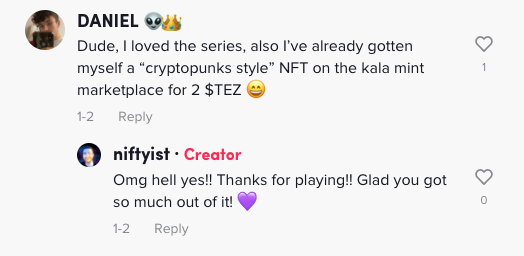
And that’s it! As I said at the top of this article, I ended up sending a LOT of NFT gifts using this method last year. And not just for friends, actually. I ran a Tiktok contest offering to send NFTs to the winners of daily giveaways. All of these recipients chose to receive their NFT by email. It was a super smooth solution and I was super grateful to have found this method.
Hopefully, we’ll see more wallet clients on other blockchains integrate the DirectAuth feature soon. And I equally hope that Instagram will begin to support Tezos and Kukai, so users will be able to share their NFTs on Instagram. Until then, I hope this guide helps you find some cool presents for your friends and loved ones, or at least send that NFT over to someone’s email. Cheers!
 The EDMist